

Planner stickers are one of the easier printables to make with AI, and they’re a fun one. People who plan love stickers. People who journal love stickers. People who buy a new planner every January and quit by Valentine’s Day (me)… also love stickers (not me, but a lot of people love stickers).
Here’s the prompt from my toolbox. One run gets you a full sheet.
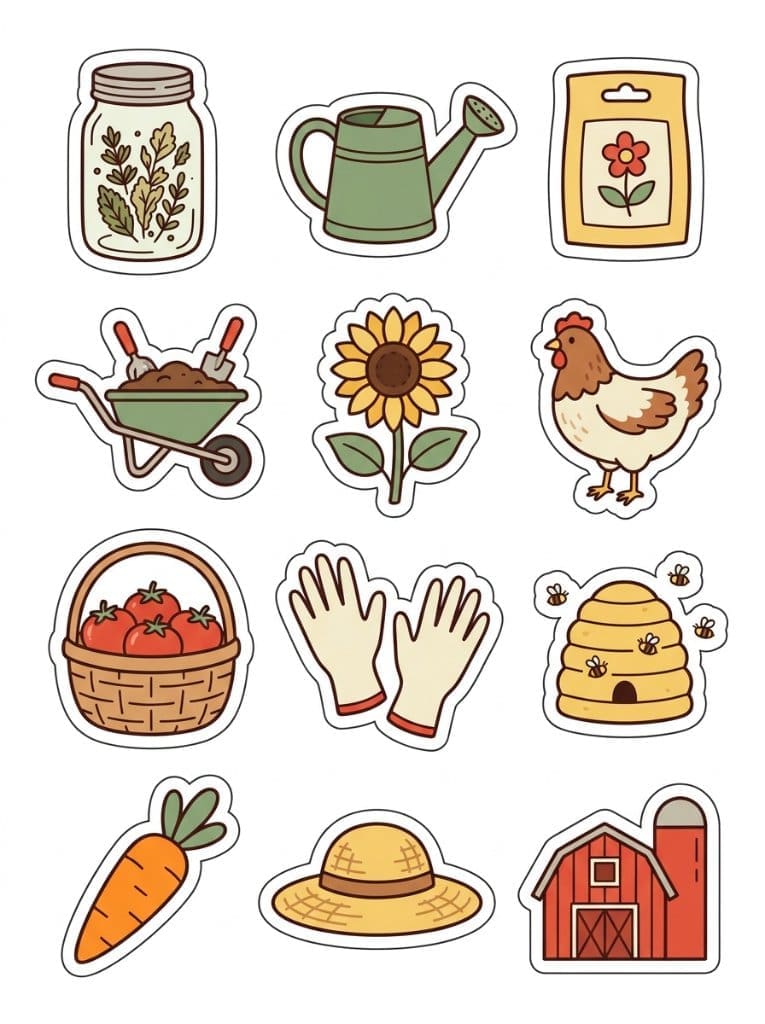
That’s the sheet it made. All 12 stickers I listed, each with its own white die-cut border, and every one of them in the same style and colors.

Make It Yours!
Pick a theme, list your stickers and choose your colors.
A few themes to get you started:
- Coffee and cozy mornings
- Back to school
- A weekend fishing trip
- Christmas baking
The Line You Should Not Touch!
“Stickers: [LIST EVERY STICKER]”
The list is the whole trick. Ask for “garden themed motifs” and you’re leaving it up to the generator to decide what goes on the sheet and how many. Name every sticker and you get the ones you asked for.
QUICK TIP: keep your grid math honest. 12 stickers fit a 4×3 grid, 16 fit a 4×4. If your numbers don’t match, the generator has to pick which one to ignore.
Full Disclosure
Count your stickers before you list anything. Generators still get creative with the count sometimes, so I’ll usually run 2 to 4 at once and keep the best one.
Also, these are images, not cut files. For printed stickers you’ll still need to set up the cut lines in your cutting software, and for digital planner stickers you’ll want each one cut out onto a transparent background first.
Selling These?
A sticker sheet sells better with a shop behind it that has listings, blog posts and emails. That’s where my PLR shop comes in: done-for-you content you can put your name on and use as your own.
Go make a sheet. Then try not to stick one on your laptop. 😊