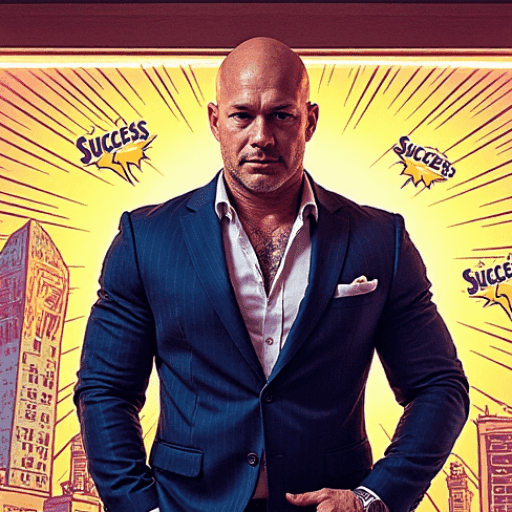

AI is really good at giving you what you want in general.
Where it gets interesting is when you want the specific little things. That’s when you have to sit down and write out a thorough prompt, and that’s where a lot of this work falls apart for people.
This isn’t something I stumbled onto last week. It’s a hack out of my toolbox that I use constantly, and I ran it fresh this morning so you could see the difference side by side instead of taking my word for it.

The Setup
Same character reference sheet both times. Same alley. Same model. One generation each, no cherry-picking, no running it eight times and showing you the winner.
Two prompts. One lazy, one loaded.
I ran the stills through Nano Banana, then took each still into Kling 3.0 for video and seeded it with its own image. So the control video got the control still and the loaded video got the loaded still.
The Two Prompts
Here’s the lazy one, and it’s roughly how this gets typed in real life:
And the loaded one:
@refimage1 is my character sheet and @refimage2 is the still. Your platform will generate its own token when you attach an image, so those will look different on your screen.
The Stills


The control is a perfectly decent photograph. Centered and nicely lit, with a good rim light on him.
It’s also completely undirected, and it dressed the alley with graffiti, roll-up shutters and a fire escape — a somewhat more modern set dressing on a character who’s supposed to be in the 1970s. Nothing told it the era, so it had to guess.
What the Numbers Say
I measured both files rather than just eyeballing them, because “it looks better” isn’t worth much to you.
The blue neon is the clearest result. In the loaded prompt I asked for cold blue spill from a sign off to the right, and in the loaded image the bluest pixel reads +234 on a blue-over-red scale, centered at 90% across the frame. Hard right, exactly where I put it. The control image reads +14, which is effectively no blue anywhere in the picture.
This is not surprising because there was no way for the control image to know I wanted that (along with any other small details I envisioned).
Lighting direction landed too. The loaded still measures 1.31 brighter at the top of the frame than the bottom, so the light is coming from above the way I asked. The control measures 1.00 — perfectly flat. That’s ambient lighting, which is what you get by default when you don’t say anything.
The Videos
The lazy prompt:
The loaded prompt:
In the control, he walks quickly. Upright, a little confidence to him. Steam is there (it carried in from the seed image on its own). The camera dollies back with his walk.
In the loaded one he’s contemplative. His head is slightly down like he’s deep in thought, and about halfway through the shot he puts his hands in his pockets. His whole walk reads differently — thoughtful instead of confident. Near the end of the shot, the blue fluorescent signage comes into view on the wall. That sign never appears in the control at all.
The Pleasant Surprise
I never used the word “contemplative” in that prompt.
I asked for two physical things — head slightly down, hands in his coat pockets. Kling built an entire performance out of those two details, including a different walk than the one it gave the control.
That’s the thing worth taking away from all of this. You’re not describing a mood to the model, you’re describing a body, and the mood comes along with it. It’s the same note a director gives an actor.
The hands-in-pockets detail is most impressive to me, because Kling didn’t open the shot that way. It waited and staged it midway through, as a beat.
What It Ignored
Full disclosure, not everything works perfectly. You already know that, but not enough ‘experts’ like to say it in my opinion. I personally don’t like to paint false positive pictures.
“Static” did nothing. I asked for a held camera and both clips dollied back with his walk. Kling wants to move the camera and it’s going to move the camera.
In fairness to Kling, I went back and read their own camera guide after the fact. They do list “static camera” as a supported direction, so the instruction wasn’t wrong. But they also warn against contradictory instructions, and they specifically say camera movement and subject movement need to work together.
My camera line was “static, held low near the wet pavement, @refimage1 walking into frame and toward the lens.” So I asked for a locked camera and a subject walking at it in the same breath, and Kling picked the walk. Reading it back, that’s less the model ignoring me and more me handing it two things to reconcile.
Their guide suggests appending “no sudden motion” to hold things down. Haven’t tested that one yet — next run.
The low angle didn’t land either. I asked for the camera down near the pavement and got roughly chest height in both.
Camera language can be a mixed bag. In an earlier run this morning I asked for the camera behind him at shoulder height and it did that, while the lazy prompt put the camera in front of him by default. So it’ll respect where the camera sits relative to your subject, and then ignore how high it is and whether it holds still. Don’t go in expecting real camera control.
It’s also worth noting that different models all behave differently. With time you come to know which one should be best for your particular effort at that time.
And I shot myself in the foot on focus. I asked for haze and deep focus in the same prompt, which fight each other, and the atmosphere won. The loaded still measures 2.76 on near-to-far detail against the control’s 1.46, meaning my “deep focus” image came out shallower than the one I never gave any instructions to. That one’s on me, not the model.
About That Revolving Door
The first version of this test had him pushing through a revolving door into a hotel lobby. I named the door twice in the prompt and it never showed up once, in either the lazy version or the loaded one.
So I scrapped the scene, because getting a character to physically push through a revolving door in a single generation is a challenging task in itself, and not the intent of this article.
The steam worked fine, though, and that’s a useful distinction. A prop that just sits there and drifts is no problem. A prop the character has to operate is a different animal. Keep your subject walking, standing, or sitting, and save the machinery for a shot where the machine itself is the subject.
The Template
Six slots and a control line. Swap the brackets to fit what you’re making.
The lighting slot is the one I’d fight for if you only fill in two. Source, direction, and quality of light is what separates a shot that looks lit from a shot that looks like a photo somebody took.
Secondary motion is the slot to fill in second, and it’s the one that tends to get skipped.
Where I Do This Work
I run a lot of my creative work through OpenArt AI. It’s one of my favorite platforms for this kind of thing, and it’s where all six of the outputs in this article came from — both Nano Banana stills and both Kling clips, without hopping between four different tools.

I’m also continually building out my own things to replace it, but it’ll be awhile before I can completely do so, because OpenArt is so extensive.
I’m on their Wonder plan. That may be more than you need — I’m generating at volume most days for a variety of business efforts, and it’s a business line item, not a hobby expense. If you’re picking a tier, don’t shop on credits. Commercial use rights start at Plus, so keep in mind Starter is cheaper and won’t cover you on anything you intend to sell.
They also run some great sales pretty regularly, so it’s worth watching.
My link: https://tolt.link/news1
One Last Thing
There’s about to be an ocean of AI video that all looks the same, and it won’t be because the models are bad. It’ll be because the prompt was four words long and the model filled in every remaining decision with its own default.
The control image in this article isn’t ugly (well maybe in the case of my character reference sheet it is 😊). That’s also what tricks a creator. It’s competent, it’s well-lit, and it looks like a thousand other competent well-lit images, because nothing in that prompt belonged to me.
Six lines is the difference between generating something and directing it. Fill in the brackets and put yourself back in the shot.